Laragon is my Favourite Local Development Environment
I’ve been building websites for a while now, and like many of you, I started off building websites online i.e. on the production server. After a time I found a better way of doing things, that is, build websites locally and then push them live once the building part is done. Laragon is my new go-to tool for local development.
Over the years I’ve tried many local development environments, some were relatively speedy, but lacked features. Others had a super feature-set but sorely lacked speed. Until Laragon[1], finally I’ve found something that has a solid feature set and is also fast, super fast, specifically when I’m using BeaverBuilder[2], my go-to website building too. Admittedly in comparisons without BeaverBuilder, it’s also faster than anything I’ve used previously.
I’ll compare my experiences with Laragon[3] against the tools I consider having the best feature-set, Local by Flywheel[4] and DesktopServer[5] by Serverpress. One caveat, Laragon only works with Windows, if you’re a Mac user I recommend you try Local by Flywheel.
This article won’t be exhaustive, but will give you a good idea of my experience with Laragon and the issues I had with Local by Flywheel and DesktopServer, and why I’ve changed to Laragon. As mentioned previously, I’ve tried many other tools including WampServer[6], Bitnami[7], XAMPP[8] and a few others I can’t recall as I’m writing. Compared to everything else, Laragon is the speed king second to none. Oh and did I mention it’s free? (So are most other environments too with a handful offering premium paid upgrades).
Laragon is FAST
I’m getting ahead of myself, let’s circle back to provide context:
My First (paid) Local Development Environment: DesktopServer

After using Wamp, Xampp and a few other local environments, I discovered DesktopServer[9] through a Jesse Peterson[10] training course. The free version was my starting point, I soon moved the the paid version which offers extended features. DesktopServer really does have great features for a WordPress developer, however this article is not a feature comparison, but a speed comparison.
But… almost right from the start I had speed issues with DesktopServer. Websites would load slowly, I found it was faster to work on the internet on a staging or production server than it was to work locally, especially when working with BeaverBuilder. This obviously was an issue.
Next came Local by FlyWheel

I then discovered Local by FlyWheel[11] and was immediately hooked. Local is absolutely free, has an awesome feature set and is specifically for WordPress developers. It’s super slick, and is probably as close to the perfect local development environment as I’ve discovered.
But again… almost right from the start there were speed issues with Local by FlyWheel on WordPress websites, and when using BeaverBuilder[12], it was even slower. After trawling the Local Community forums and Facebook groups I’m a member of, it seems I was not the only one with speed issues. And it seemed to be predominantly Windows users experiencing speed issues, Mac users seemed to be fine.
Hello Laragon…
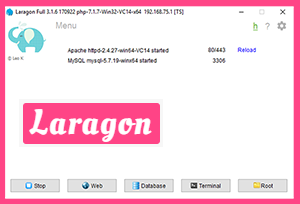
Needless to say, my frustration levels were mounting. By this time I’d actually been doing some projects on a staging server (online that is, on the internet and not on my local machine) to try to alleviate the speed issues. I’d contacted all the providers of the tools mentioned asking for a resolution, but none was forthcoming.
Out of the blue, one day I decided to run extensive tests on DesktopServer and Local by FlyWheel to try to get to the bottom of this problem, but to no avail. On a whim I posted the test results in the BeaverBuilder Facebook Group[13] asking for advice and feedback. And I’m so glad I did, Guy Barry recommended Laragon, thanks Guy Barry[14]!
Laragon has completely solved my speed issues, and then some. I’m actually enjoying working locally once again. 🙂
To demonstrate the day and night speed difference, I tested Laragon using the same tests I performed on DesktopServer and Local by FlyWheel, here’s what I found:
Local Development Environment Test Results
Laragon vs DesktopServer vs Local by FlyWheel Results:
| Setup | Action | Desktop Server | Local by FlyWheel | Laragon |
|---|---|---|---|---|
| 1. Default 2017 Theme (on clean WP install) | Page load. | 2-3 sec | 2-3 sec | 1 sec |
| 1. Default 2017 Theme 2. BB Plugin | Page load with BeaverBuilder template. | 3-4 sec | 3-4 sec | 1 sec |
| 1. Default 2017 Theme 2, BB Plugin | Page load into BeaverBuilder to edit page. | 5 sec | 5 sec | 1 sec |
| 1. BB Theme 2. BB Plugin 3. BB Child Theme | Before assigning a menu: Page load with BeaverBuilder template. | 5 sec | 5 sec | 1 sec |
| 1. BB Theme 2. BB Plugin 3. BB Child Theme | After assigning a menu: Page load with BeaverBuilder template. | 7 sec | 7 sec | 1 sec |
| 1. BB Theme 2. BB Plugin 3. BB Child Theme | Page load into BeaverBuilder to edit page. (Once in the page, editing is super fast all around.) | 13 sec | 11-13 sec | 1 sec |
| 1. BB Theme 2. BB Plugin 3. BB Child Theme | Saving page once editing in BeaverBuilder is done. | 7 sec | 7-8 sec | 1 sec |
| 1. BB Theme 2. BB Plugin 3. BB Child Theme 4. UABB Plugin | Page load with BeaverBuilder template. | 9 sec | 9 sec | 1 sec |
| 1. BB Theme 2. BB Plugin 3. BB Child Theme 4. UABB Plugin | Page load into BeaverBuilder to edit page. | 20 sec | 20-23 sec | 1 sec |
| 1. BB Theme 2. BB Plugin 3. BB Child Theme 4. UABB Plugin | Editing page in BeaverBuilder: When clicking a ROW to edit. | 5-6 sec | 5-6 sec | 1 sec |
| 1. BB Theme 2. BB Plugin 3. BB Child Theme 4. UABB Plugin | Editing page in BeaverBuilder: When clicking a COLUMN to edit. | 4-5 sec | 4-5 sec | 1 sec |
| 1. BB Theme 2. BB Plugin 3. BB Child Theme 4. UABB Plugin | Editing page in BeaverBuilder: DRAGGING an element (BB or UABB elements) | 8-9 sec | 8-9 sec | 1 sec |
| 1. BB Theme 2. BB Plugin 3. BB Child Theme 4. UABB Plugin | Editing page in BeaverBuilder: SAVING an element (BB or UABB elements) | 5-6 sec | 5-6 sec | 1 sec |
| 1. BB Theme 2. BB Plugin 3. BB Child Theme 4. UABB Plugin | Editing page in BeaverBuilder: SAVING the PAGE once finished editing | 10-11 sec | 10-12 sec | 1 sec |
Legend:
- Laragon WAMP (v 3.1.6)
- BB = BeaverBuilder (2.0 beta 1)
- UABB = Ultimate Addons for BeaverBuilder (v 1.6.6)
- Beaver Theme (v 1.6.2)
- Beaver Themer (v 1.0.2.1)
- Page Template used: Beaver Agency Template.
(the times for DesktopServer and Local by FlyWheel are give or take a second or so between the two environments in certain cases)
As you can see from the results, any editing work and page loads etc. take either less than one second, or one second flat with Laragon.
My first word when using Laragon for the first time was WOW! I’ve never experienced such speed either on a server or local development environment, and I love it.
Laragon Features

Laragon is Fast – Wait, I’ve said that Before
Laragon does the job it was intended for extremely well, and the speed is phenomenal. When it comes to a feature for feature comparison, Laragon is not quite as feature rich as DesktopServer or Local by FlyWheel, but is no slouch either. When comparing Laragon to WAMP, Xampp, Bitnami etc. Laragon wins hands down.
Laragon Supports SSL
Laragon does support SSL which is very handy. I have to give kudos to Local on this point, with a mouse-click you can change PHP versions in Local.
Laragon is Hackable
Something that’s really unique is how hackable Laragon is, allowing you to change many things including PHP versions. Speaking of which, changing PHP versions is the feature probably most lacking in DesktopServer. In fact, DesktopServer not only never had this option, as of version 3.8.3 DesktopServer it’s still offering PHP 5.4 only, with ServerPress promising upgrades for years but nothing has yet materialized.
What’s Missing from Laragon?
But am I missing something in Laragon? Yes, although from my perspective it’s a minor gripe, specifically, Laragon could do with some of the cloning features in DesktopServer and Local by FlyWheel. It’s also missing the migration feature in DesktopServer, Local by FlyWheel does not either have this yet, but I believe it’s coming. Anything else missing? Yes, “blueprints” is not either a feature Laragon sports and would be very handy to have, after using this feature in both DesktopServer and Local by FlyWheel, I do miss it. Which brings us to our next section:
What Could Make Laragon (Near) Perfect?
- Adding a cloning feature
- Adding a migration feature
- Adding a blueprint feature
Being able to reliable and quickly work since using Laragon has been an enjoyable experience, so much so that I’m happy to forego those features. although adding them would Laragon near unbeatable.
How to Get Started with Laragon
To get started visit https://laragon.org[15] and click the “Download Laragon” button. In my case I choose the WAMP installer. Below I’m including a helpful Laragon getting started guide video by David McCan, as well as a link to his Laragon article[16].
[embedded content]
If you develop with PHP, are interested in WordPress, Joomla, Drupal etc., take a look at Laragon, it’s speed is unsurpassed. Incidentally, if you’ve been struggling to install Laravel[17], Laragon easily installs Laravel, that’s reason enough to try it.
I’ve found Laragon has enough features to keep me happy and help me work more effectively, but most important to me it’s incredibly fast. I can do so much more, in so much less time. My apologies for harping on about Laragon’s speed, but from my perspective, I’ve had to deal with a severely degraded local development experience that having this kind of speed is making me smile. 🙂
I build eCommerce websites[18], let’s chat[19] about how I can help you.
Let me know what you use and what works for you in the comments below:
References
- ^ Laragon (laragon.org)
- ^ BeaverBuilder (www.wpbeaverbuilder.com)
- ^ Laragon (laragon.org)
- ^ Local by Flywheel (local.getflywheel.com)
- ^ DesktopServer (serverpress.com)
- ^ WampServer (www.wampserver.com)
- ^ Bitnami (bitnami.com)
- ^ XAMPP (www.apachefriends.org)
- ^ DesktopServer (serverpress.com)
- ^ Jesse Peterson (www.jessepetersen.com)
- ^ Local by FlyWheel (local.getflywheel.com)
- ^ BeaverBuilder (www.wpbeaverbuilder.com)
- ^ BeaverBuilder Facebook Group (www.facebook.com)
- ^ Guy Barry (www.facebook.com)
- ^ https://laragon.org (laragon.org)
- ^ Laragon article (www.webtng.com)
- ^ Laravel (laravel.com)
- ^ eCommerce websites (getwebassist.com)
- ^ chat (getwebassist.com)