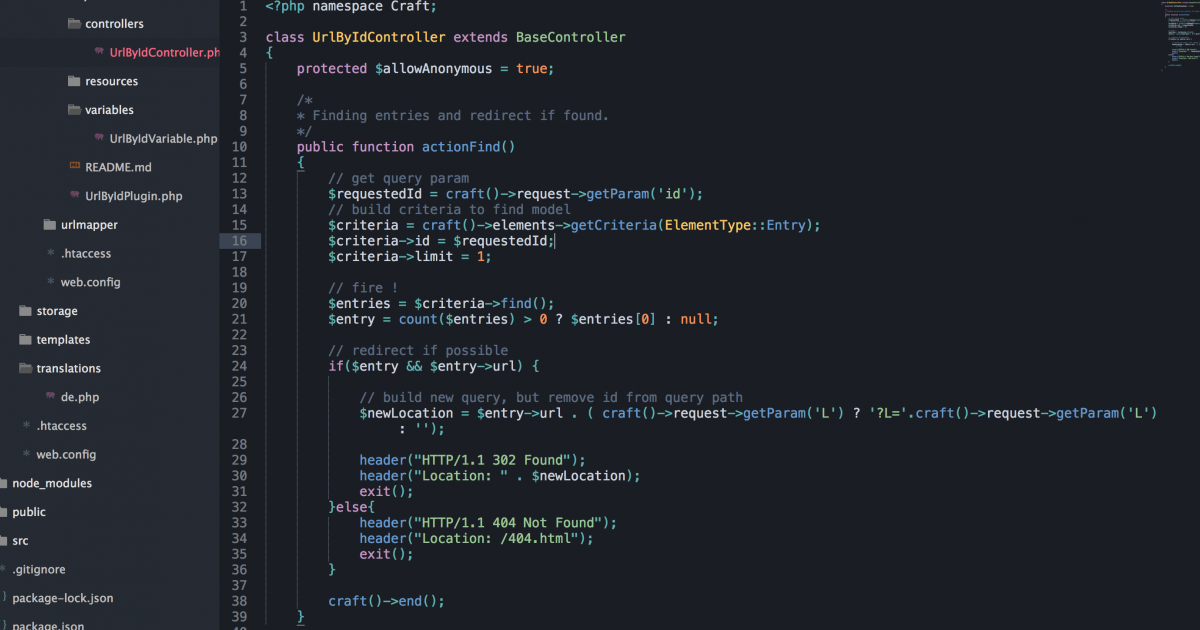
Developing a CraftCMS plugin sounds harder than it is. Read through the documentation[1] and get a short overview of the environment.
Let's assume your website want to call pages of entries via a given id. You could setup a plugin which handles this route, searches for entries and redirect to them.
Our Goal: Calling entries with yourdomain.com/entries/find?id=99
Settings things up
Create a folder urlbyid in your craft/plugins folder.
Add a initialization class called UrlByIdPlugin.php in the plugins root folder.
// urlbyid/UrlByIdPlugin.php
<?php namespace Craft;
class UrlByIdPlugin extends BasePlugin
{
}
Give your plugin a soul and add basic information to it:
public function getName() { return 'Url by id'; }
public function getVersion() { return '1.0.0'; }
public function getDeveloper() { return 'You Name'; }
public function getDeveloperUrl() { return 'https://www.yourdomain.com'; }
If you want to display an icon in the CP of Craft place one under /resources/icon.svg.
In the UrlByIdPlugin class we can register a route (action) for the website.
public function registerSiteRoutes()
{
    return array(
        'entries/find' => array('action' => 'urlById/find'),
    );
}
Your website should now accept request to yourdomain.com/entries/find. We point to a UrlByIdController and it calls the method find. So let us set'em up.
Create a controller
All controllers are grouped in the controllers folder under the root of your plugin.
// urlbyid/controllers/UrlByIdController.php
<?php namespace Craft;
class UrlByIdController extends BaseController
{
    public function actionFind()
    {
    }
}
Our goal was:
- Find an entry by a given id
- If url -> redirect to it
 // get query param
 $requestedId = craft()->request->getParam('id');
 // build criteria to find model
 $criteria = craft()->elements->getCriteria(ElementType::Entry);
 $criteria->id = $requestedId;
 $criteria->limit = 1;

 // fire !
 $entries = $criteria->find();
 $entry = count($entries) > 0 ? $entries[0] : null;

 // redirect if possible
 if($entry && $entry->url) {
   // here you can redirect to that entry
 }else{
   // here you can redirect to root page or answer with a 404 status code
 }

 craft()->end();
Test your implementation with yourdomain.com/entries/find?id=99
Setup Template helper to generate URL
If you call {{ entry.url }} you are getting the craft url based on the settings for section. You could also write a template helper to generate the id based url. For this you have to implement a Variable for your plugin.
// urlbyid/variables/UrlByIdVariable.php
<?php namespace Craft;
class UrlByIdVariable
{
    public function urlFor($entry)
    {
      if ($entry->uri !== null)
      {
           $url = UrlHelper::getSiteUrl('entries/find', array('id' => $entry->id), null, $entry->locale);
           return $url;
      }
    }
}
You can now use that syntax in your templates to generate the id:
{{ craft.urlById.urlFor(entry) }}
See the full source code in our github repository[2].
References
- ^ documentation (craftcms.com)
- ^ repository (github.com)