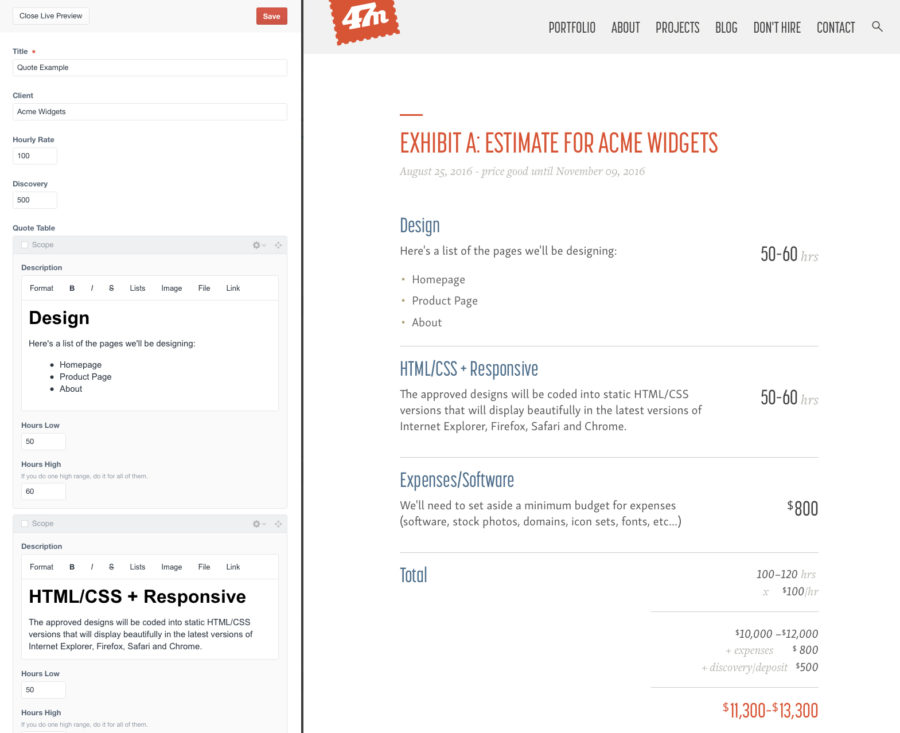
When it was time to re-build the ol’ FortySeven Media site on Craft[1], I was excited, but had two major concerns.
- Getting my old content over without having to re-enter it all by hand
- If it was even possible to make something like my project quote builder that was in the ExpressionEngine version.
I’ll dig in to how I moved my content over in another post, but today we’re going to see how I re-built my project quote estimator in Craft CMS.
But first - why? Here’s a quick re-cap as to why having a quote builder in your CMS is awesome.
- All your estimates are stored in your site’s database and easy to find
- The estimate will inherit the style of your site - if you rebrand then your estimates get updated as well
- It’s easy to make live updates (and keep revisions if you have those turned on) as the estimate gets tweaked.
- Math is calculated for you (my personal favorite)
- Use regular HTML markup instead of fighting with a page layout program. Headers, lists, bold, italic are always consistent.
- You can set your hourly rate per quote so there’s lots of flexibility.
- With print stylesheets, printing and signing the estimate is easy for the client.
- You can include hardcoded links to legal documentation that rarely changes.
- The estimate lives in one place so there’s never a question of which emailed version is the final.
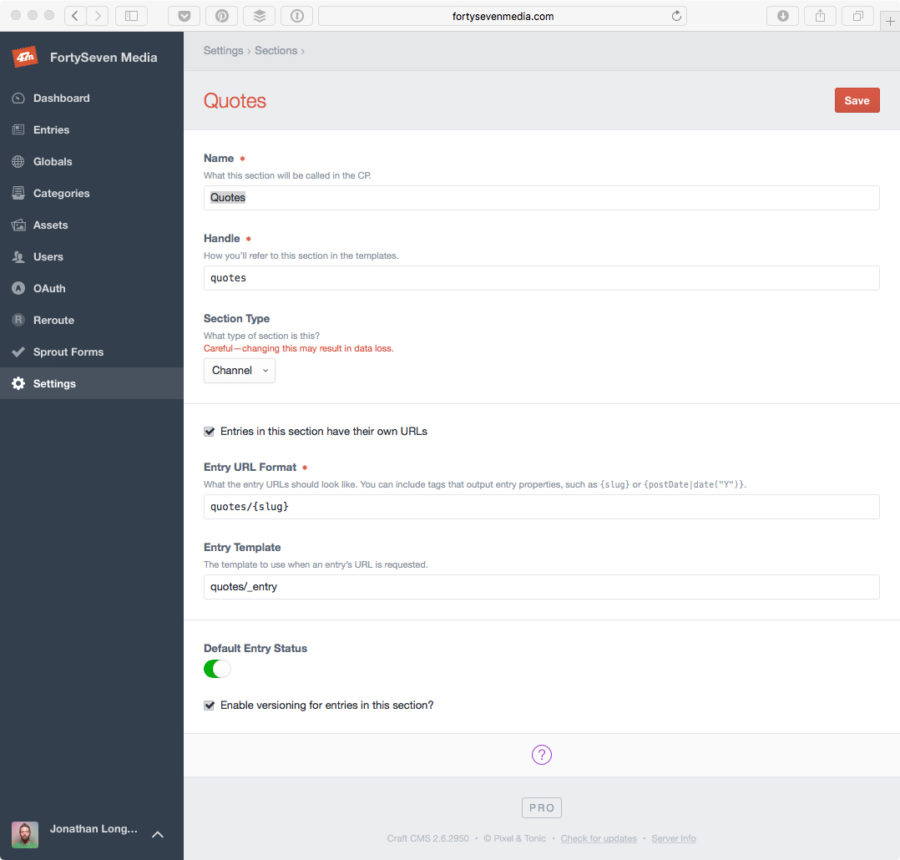
Now that we have that out of the way, let’s dig in. First I setup a new section called “Quote,” and made sure it was a channel that allowed each entry to have it’s own URL. Then I set the URL format and template I was going to use. I also enabled versioning so I could roll back to a previous quote if necessary.
I’m retreading a lot of the functionality from my previous ExpressionEngine post, so here’s a quick animation to give you an idea of how I wanted it to work.
For my estimate builder, I needed the following simple fields:
- Client (Rich Text Field) -
client - Hourly Rate (Number) -
hourlyRate - Discovery (Number) -
quoteDiscovery
Because Craft’s Table field didn’t support rich text I had to use a Matrix field, thus complicating the repeatable areas. With my EE setup I could grab something like the total of all the low hours from the Matrix with a simple tag. But Craft’s Matrix didn’t have anything like that.
So I needed two Matrix fields - one for the main quote area and one for fixed expenses - repeatable chunks with a description and hourly range and/or dollar amount. They looked like this:
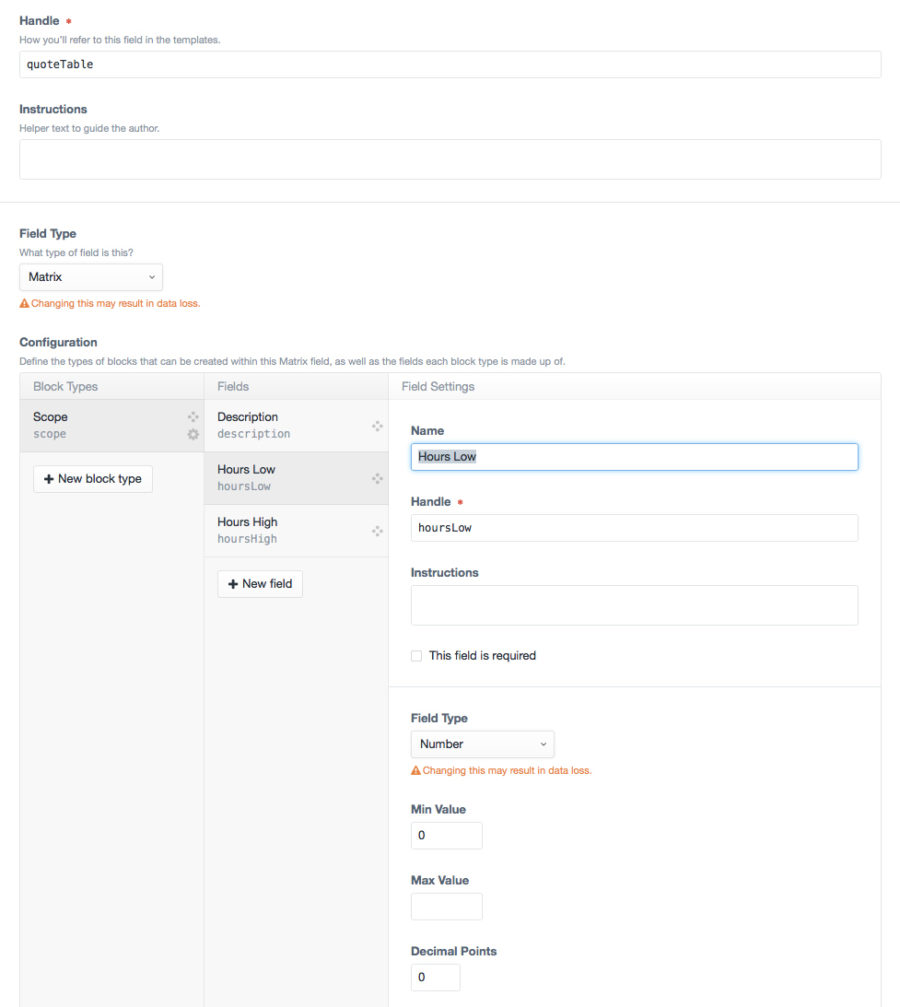
Quote Table (Matrix) - quoteTable with scope block type.
- Description (Rich Text) -
description - Hours Low (Number) -
hoursLow - Hours High (Number) -
hoursHigh
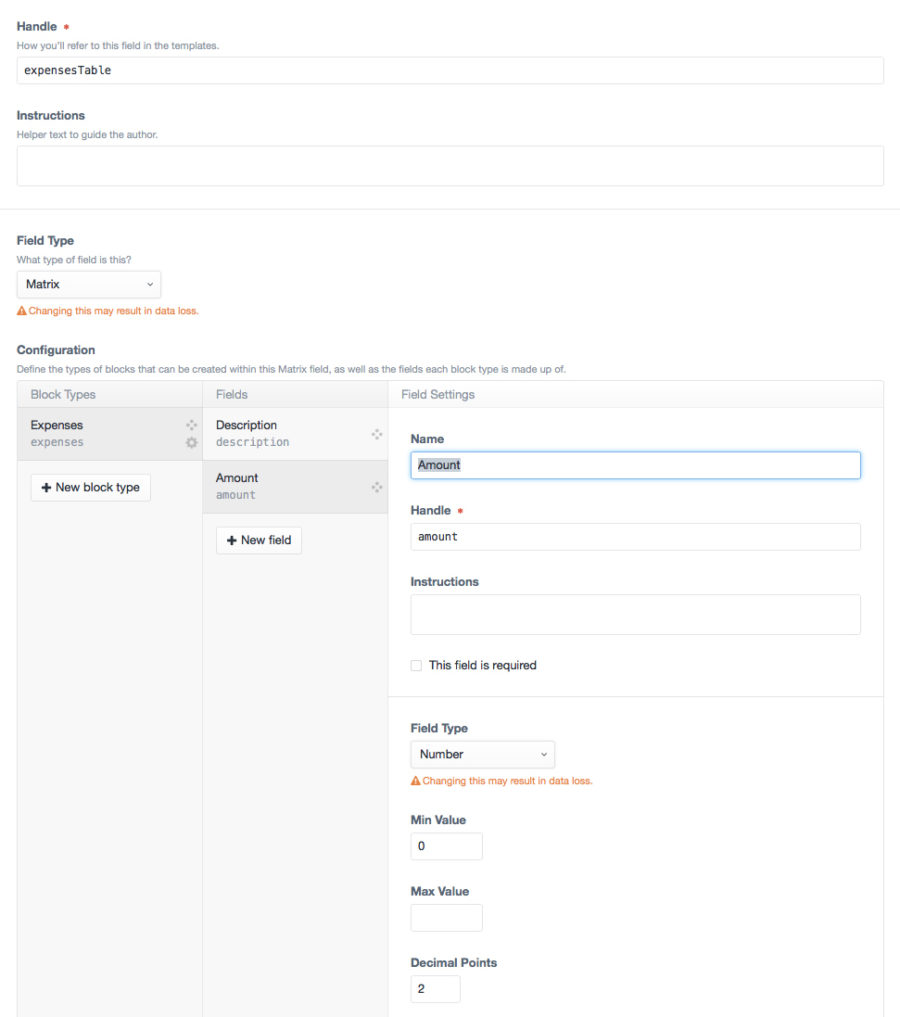
Expenses Table (Matrix) - expensesTable with expenses block type.
- Description (Rich Text) -
description - Amount (Number) -
amount
On the template side, I was happy to find that I could do simple math and number formatting without needing an extra plugin - but the syntax got a bit cumbersome and hard to follow. And trying to find a way to add entire columns and get a total number from the Matrix bent my brain a bit.
It all boils down to setting variables. Lots of variables.
First up, to get your total hours (low and high) you have to set a variable to 0 so that as you loop through the block it adds itself up and sets the same variable to the right amount.
{% set totalHoursLow = 0 %}
{% set totalHoursHigh = 0 %}

{% for block in entry.quoteTable %}
        {% set totalHoursLow = totalHoursLow + block.hoursLow %}
        {% set totalHoursHigh = totalHoursHigh + block.hoursHigh %}
{% endfor %}
Once you have those totals you can start adding and multiplying to create other variables.
{% set totalHoursLowMultiply = totalHoursLow * entry.hourlyRate %}
{% set totalHoursHighMultiply = totalHoursHigh * entry.hourlyRate %}
This is multiplying the total hours by the hourly rate and creating a new variable so we can apply the number[2] filter to the dollar amount it calculates. Basically it gives us the commas in something like 1,000. I could have used the currency[3] filter, but wanted to add dollar signs myself and style them differently. These filters wouldn’t have worked on the raw math version so that’s why we had to create a variable. Here's how you call the variable and apply the filter:
{{ totalHoursLowMultiply|number }}
{{ totalHoursHighMultiply|number }}
I don’t always have an expenses section so I made sure to set that variable as ‘null’ so it wouldn’t affect the totals for anything if it wasn’t there.
Finally, one big math problem at the end to set more variables to add the number filter:
{% set totalCostLow = totalHoursLowMultiply + expensesAmount +  entry.quoteDiscovery %}
{% set totalCostHigh = totalHoursHighMultiply + expensesAmount +  entry.quoteDiscovery %}

{{ totalCostLow|number }}
{{ totalCostHigh|number }}
There’s a few other things I’m doing here that you might want to do as well if you’re using a similar setup.
Make sure these pages aren’t indexable. Don’t want Google showing your estimates to the world! I do this with a {% set noFollow = 'y' %} on the entry template and a
{% if noFollow is defined %}
	<meta name="robots" content="noindex,nofollow">
{% endif %}
on the _base template.
You’ll also want to make the client login to see the estimate as an added protection. I just used the {% if currentUser %} variable.
All in all I’m really happy with how it turned out! And with Craft’s live preview I’m spending even less time creating, tweaking and testing estimates.
I’m making the estimate template available for download as a jumping off point for your own Craft CMS quote builder. Enjoy!
Or if you're really busy I'll be happy to get it setup for you for a reasonable fee.
References
- ^ Craft (craftcms.com)
- ^ number (craftcms.com)
- ^ currency (craftcms.com)
- ^ Download Template (fortysevenmedia.com)
- ^ Contact Me to get started (fortysevenmedia.com)